
AI graphic design tools have completely changed how businesses and creators produce visual content. Whether you need social media graphics, marketing banners, logos, or product mockups, the right AI design tool can save you hours and thousands of dollars in freelance costs. But with so many options on the market, which one actually delivers?
In this guide, we compare the three most popular AI graphic design tools in 2026 — Canva AI, Adobe Firefly, and Midjourney — across features, pricing, ease of use, and output quality. By the end, you’ll know exactly which tool fits your needs.
Why AI Graphic Design Tools Matter in 2026
Traditional graphic design requires skill, expensive software, and significant time. AI-powered design tools break that barrier. They let anyone — from solopreneurs to marketing teams — create professional visuals in minutes using text prompts, templates, and smart editing features.
The market has matured significantly. These tools now handle brand consistency, batch production, and even animation. The question is no longer “Should I use AI for design?” but “Which AI design tool should I choose?”
The 3 Contenders at a Glance
| Feature | Canva AI | Adobe Firefly | Midjourney |
|---|---|---|---|
| Best For | All-around design for non-designers | Professional creative workflows | High-quality AI-generated art |
| AI Image Generation | Yes (Magic Media) | Yes (Text to Image) | Yes (best-in-class) |
| Template Library | 250,000+ templates | Limited templates | No templates |
| Text Editing AI | Magic Write, Magic Eraser | Generative Fill, Expand | None (image-only) |
| Brand Kit | Yes | Yes (via Creative Cloud) | No |
| Collaboration | Excellent (real-time) | Good (Creative Cloud) | Basic (Discord-based) |
| Free Plan | Yes (limited AI) | Yes (25 credits/month) | No |
| Paid Plans Start At | $12.99/month | $4.99/month | $10/month |
| Learning Curve | Very easy | Moderate | Moderate (Discord-based) |
| Output Quality | Good | Very good | Excellent |
Canva AI: The All-in-One Design Platform
Canva has evolved from a simple drag-and-drop editor into a full AI-powered design suite. In 2026, its AI features — branded as the “Magic Suite” — cover everything from image generation to copywriting.
Key AI Features
- Magic Design: Describe what you need, and Canva generates ready-to-use templates customized to your brand colors and style.
- Magic Media: Generate images and videos from text prompts directly inside the editor.
- Magic Eraser & Magic Edit: Remove unwanted objects or change elements in photos with one click.
- Magic Write: AI copywriting assistant that generates headlines, captions, and body text.
- Magic Switch: Instantly resize and reformat designs for different platforms (Instagram, LinkedIn, print, etc.).
Pricing
- Free: Limited AI features, basic templates
- Pro: $12.99/month — full Magic Suite, 1TB storage, brand kit
- Teams: $14.99/user/month — collaboration features, brand controls
- Enterprise: Custom pricing
Pros and Cons
Pros:
- Easiest to learn — no design experience needed
- Huge template library (250,000+)
- All-in-one: design, video, presentations, websites
- Great collaboration tools
- Solid free plan to start
Cons:
- AI image quality lags behind Midjourney
- Can feel template-dependent (less originality)
- Advanced designers may find it limiting
- AI credits are capped on paid plans
Adobe Firefly: Professional-Grade AI Creation
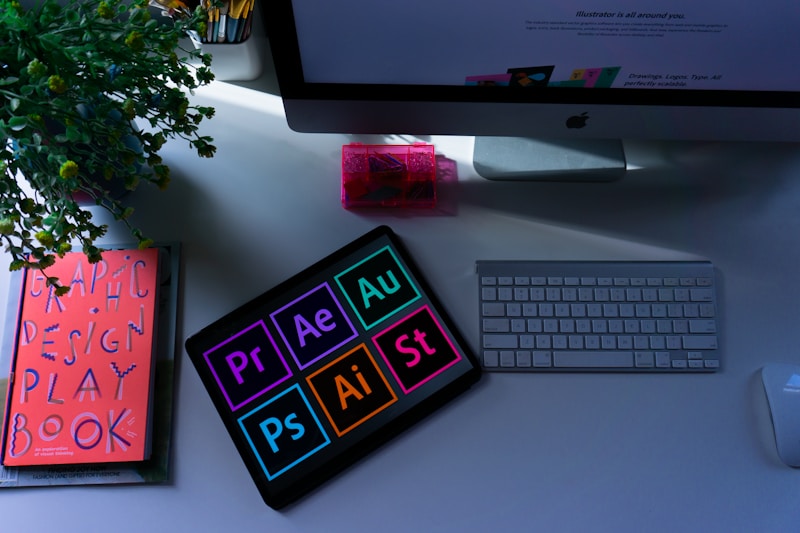
Adobe Firefly is Adobe’s answer to the AI design revolution. Trained exclusively on Adobe Stock images, openly licensed content, and public domain content, Firefly offers commercially safe AI generation — a major advantage for businesses worried about copyright.
Key AI Features
- Text to Image: Generate detailed images from natural language descriptions.
- Generative Fill & Expand: Add, remove, or extend elements in existing images seamlessly.
- Text Effects: Apply AI-generated textures and styles to typography.
- Generative Recolor: Instantly recolor vector artwork in Illustrator.
- Structure Reference & Style Reference: Guide AI output with reference images for consistent results.
Pricing
- Free: 25 monthly generative credits
- Firefly Premium: $4.99/month — 100 credits, no watermarks
- Creative Cloud: Included in all CC plans (starting at $59.99/month for full suite)
Pros and Cons
Pros:
- Commercially safe (trained on licensed content)
- Deep integration with Photoshop, Illustrator, Express
- Excellent image editing tools (Generative Fill is best-in-class)
- High output quality
- Affordable standalone plan
Cons:
- Standalone Firefly web app feels limited
- Best features require Creative Cloud subscription
- Template library is small compared to Canva
- Credit system can feel restrictive
Midjourney: The Gold Standard for AI Art
Midjourney remains the king of raw AI image quality. If your priority is stunning, photorealistic, or artistically impressive visuals, Midjourney delivers consistently. However, it operates differently from traditional design tools — it’s a prompt-based image generator, not a design editor.
Key AI Features
- Text to Image (Best-in-Class): Produces the highest quality AI images across styles — photorealistic, illustration, abstract, and more.
- Style Reference (–sref): Feed it a reference image and it matches the aesthetic.
- Character Reference (–cref): Maintain consistent characters across multiple generations.
- Vary Region: Edit specific areas of a generated image.
- Web App (New): In 2026, Midjourney has a standalone web editor beyond Discord.
Pricing
- Basic: $10/month — ~200 images/month
- Standard: $30/month — unlimited relaxed generations
- Pro: $60/month — stealth mode, 30h fast generation
- Mega: $120/month — maximum speed and volume
Pros and Cons
Pros:
- Unmatched image quality
- Incredible artistic range
- Strong community for inspiration
- New web editor improves workflow
- Character consistency features are unique
Cons:
- No templates, no brand kit, no editing suite
- Not a design tool — it’s an image generator
- No free plan
- Still requires prompt-crafting skill for best results
- Limited text rendering in images
Which AI Graphic Design Tool Should You Pick?
The right choice depends entirely on what you need:
Choose Canva AI if…
You need an all-in-one platform for marketing materials, social media posts, presentations, and quick branded content. Canva is the best choice for small business owners, marketers, and anyone who doesn’t have design experience. The template library alone justifies the price.
Choose Adobe Firefly if…
You already use Photoshop or Illustrator and want AI superpowers inside your existing workflow. Firefly’s Generative Fill is the best image editing AI tool available, and the commercial safety guarantee makes it ideal for agencies and brands.
Choose Midjourney if…
You need the absolute best AI-generated images — for concept art, creative campaigns, product visualization, or artistic projects. Pair it with Canva or Photoshop for editing, and you have a powerful creative stack.
Our Recommendation
For most people, start with Canva AI. It covers 90% of design needs, the learning curve is nearly flat, and the free plan lets you test AI features before committing. If you’re a professional designer or agency, add Adobe Firefly to your Creative Cloud workflow. And if you need jaw-dropping AI art, Midjourney is worth every penny — just don’t expect it to replace a design tool.
The smartest move in 2026? Use two: Midjourney for generating images + Canva for editing and publishing them. That combination covers creation and distribution at a fraction of the cost of traditional design workflows.
Related reading: Best AI Writing Tools for Bloggers and Marketers in 2026
How to Get Started with Each Tool
Getting started is easier than you think. Here’s a quick-start guide for each platform:
Getting Started with Canva AI
Sign up at canva.com with your email or Google account. The free plan gives you access to basic templates and limited AI features. To unlock the full Magic Suite, upgrade to Pro ($12.99/month). Start by choosing a template, then experiment with Magic Design — type a prompt like “Instagram post for a coffee shop promotion” and watch Canva generate a polished design in seconds. Magic Switch lets you instantly adapt that design for Facebook, Twitter, or print formats.
Getting Started with Adobe Firefly
Visit firefly.adobe.com and sign in with a free Adobe account. You get 25 generative credits per month to experiment. The web interface lets you generate images, apply text effects, and use Generative Fill. If you already have Photoshop, update to the latest version — Firefly is built directly into the app via Generative Fill (Edit > Generative Fill). This integration is where Firefly truly shines: you can select an area in any photo and describe what you want, and Firefly fills it in with context-aware AI.
Getting Started with Midjourney
Go to midjourney.com and subscribe to a Basic plan ($10/month). You can now use the web app directly without Discord. Enter a prompt in the text box — be descriptive for best results. Instead of “a cat,” try “a fluffy orange cat sitting on a windowsill at sunset, soft lighting, photorealistic, 4K.” Use the –ar parameter to set aspect ratios (e.g., –ar 16:9 for widescreen). Explore the community gallery for inspiration and prompt ideas.
AI Design Tools vs. Hiring a Designer
A common question: should you use AI tools instead of hiring a graphic designer? The answer depends on context.
AI tools win for: social media content, quick marketing materials, internal presentations, A/B testing ad creatives, and anything that needs to be produced at scale and speed. A single marketer using Canva AI can produce 20+ social posts per day — something that would take a designer a full week.
Human designers win for: brand identity creation, complex illustrations, packaging design, UX/UI work, and anything requiring nuanced creative judgment. AI can generate options, but a skilled designer brings strategic thinking that no tool can replicate.
The smartest approach in 2026? Use AI tools for 80% of your visual content and reserve human designers for the 20% that truly requires creative expertise. This hybrid approach saves budget while maintaining quality where it matters most.
Frequently Asked Questions
Can I use AI-generated images commercially?
Yes, but it depends on the tool. Canva Pro and Adobe Firefly both grant commercial usage rights for AI-generated content. Midjourney’s paid plans also allow commercial use. However, always check each platform’s latest terms of service, as policies can change.
Which tool is best for social media graphics?
Canva AI is the clear winner for social media. Its templates are sized for every platform, Magic Switch handles resizing automatically, and Magic Write helps with captions. You can go from idea to published post in under 5 minutes.
Do I need design experience to use these tools?
Not for Canva — it’s specifically built for non-designers. Adobe Firefly has a moderate learning curve, especially if you use it through Photoshop. Midjourney requires prompt-writing skills but no traditional design knowledge.
Tip: compare 2–3 options before buying and always check active promotions.